Showcase / Documents that do the work
Tour - Docs and Docs ProA handbook, a quote, a signed agreement. One afternoon.
ACME Ltd writes everything in Docs - the handbook new starters read, the quotes customers accept, the agreements they sign, the price list the team argues about. Docs Pro turns those documents into things that get done: published, filled in, signed, reviewed. Here is one afternoon of it.

The staff handbook, published
Alex keeps the handbook in a Docs folder: a welcome page, "Getting started" and "Policies". Docs Pro publishes the folder as a Space - a section of ACME's own site, in its own look.
From folder to Space
One New Space form: a name, the folder, who can read it - anyone, signed-in members or chosen roles - and a starting look. Publish all, and the six documents are pages. Subfolders become sections in the contents. Editing a document changes nothing on the site until Alex publishes it again, so half-finished changes never reach a reader.
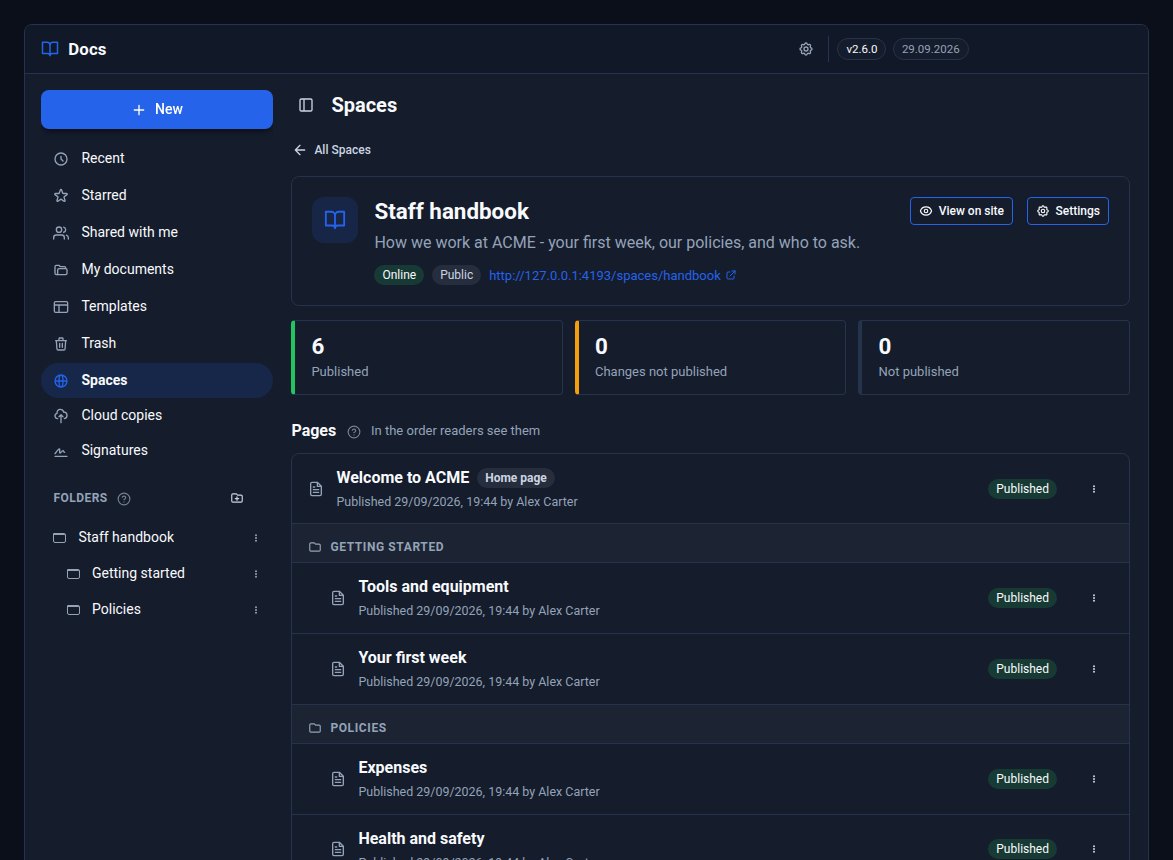
Published, changed since, or not published yet - for every page.
A reader built for long reading
New starters get contents, search within the handbook, "On this page" and Previous and Next. The Aa panel changes text size, font (Serif, Sans or Easy read), spacing, margins and colours - including Sepia and Dark - and switches between scrolling and turning pages like an e-reader. The reader remembers where each person stopped.
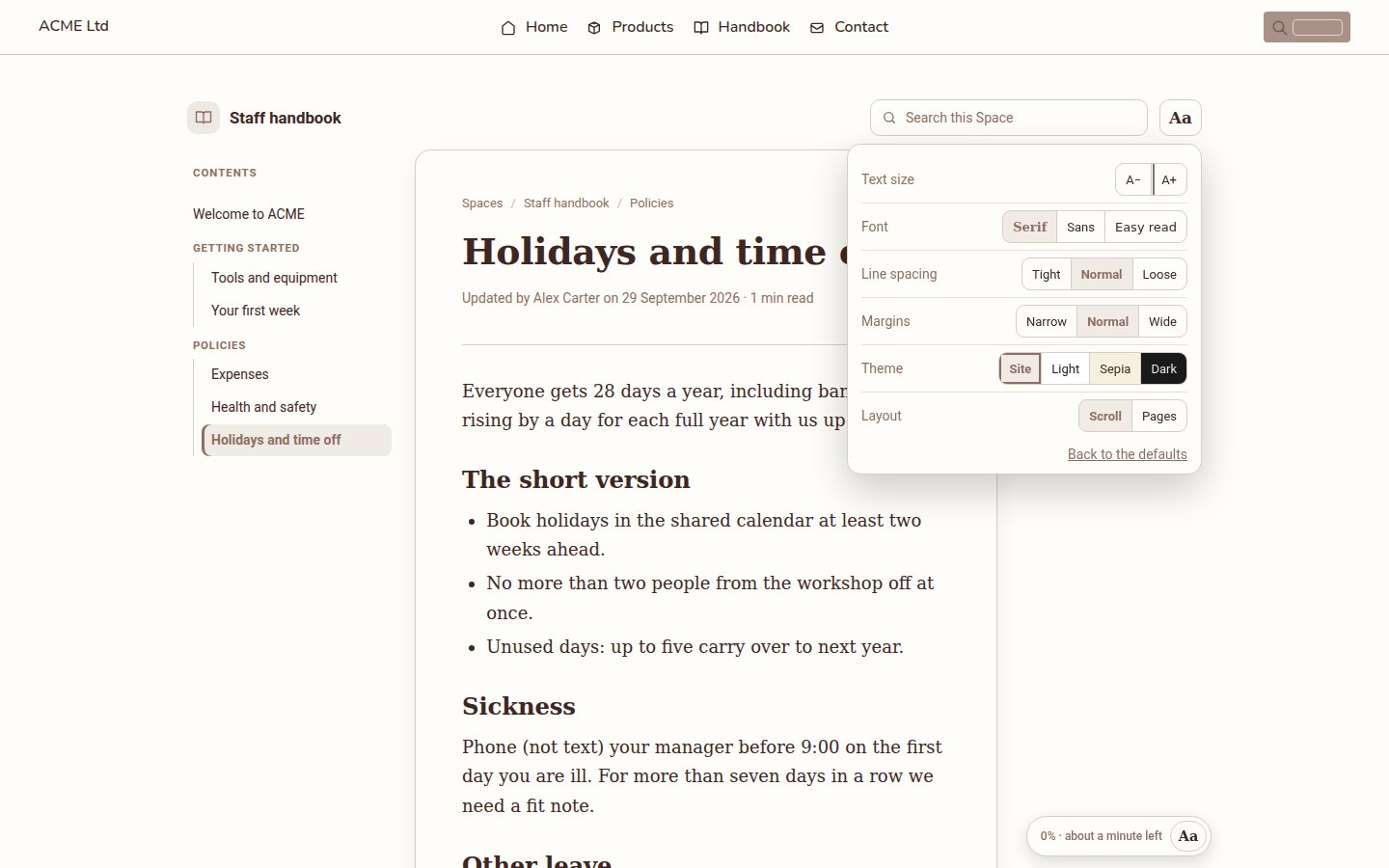
Each reader chooses their own look. Nothing about them is stored on the site.
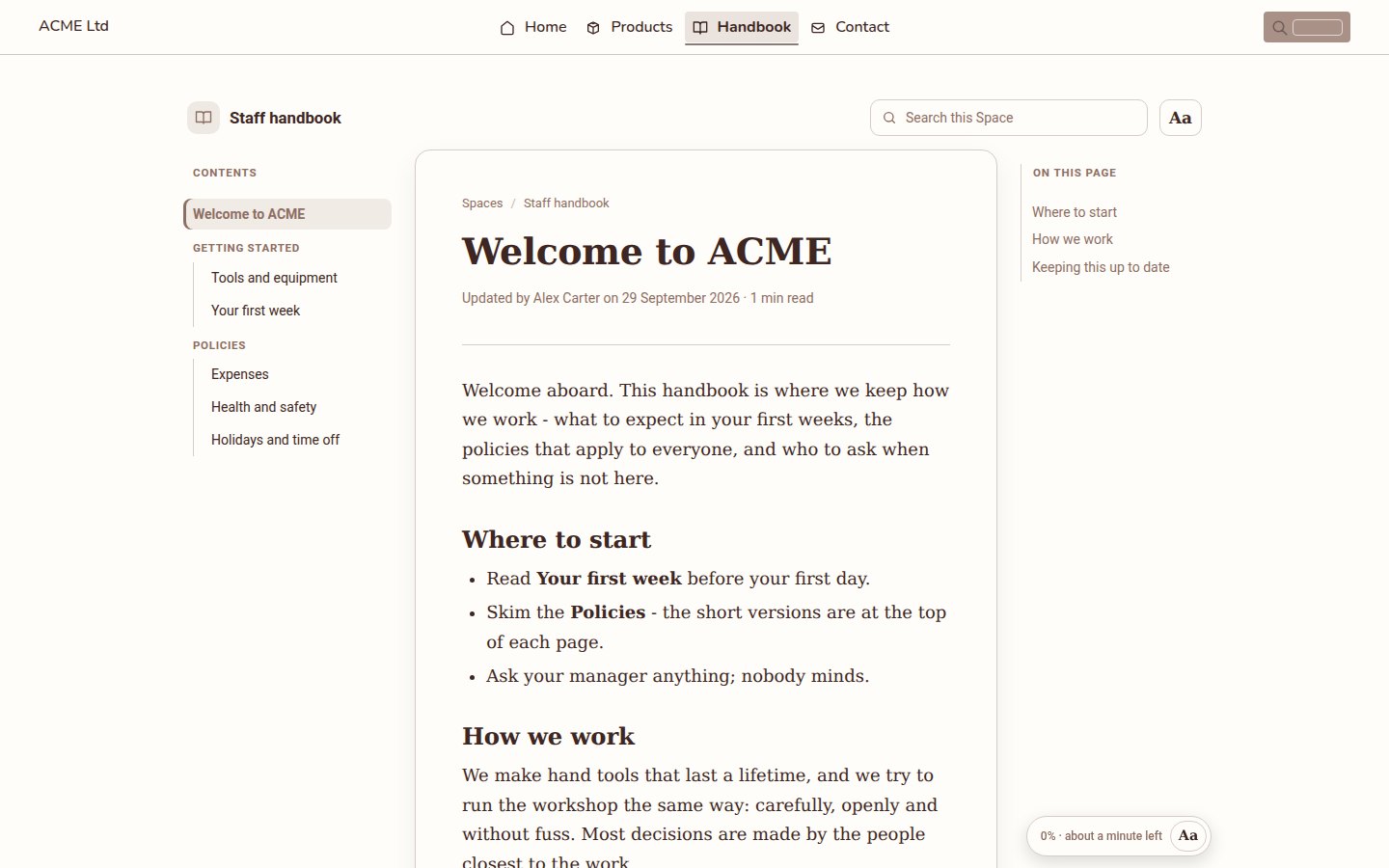
The Space's home page: a chosen document, with the contents beside it.
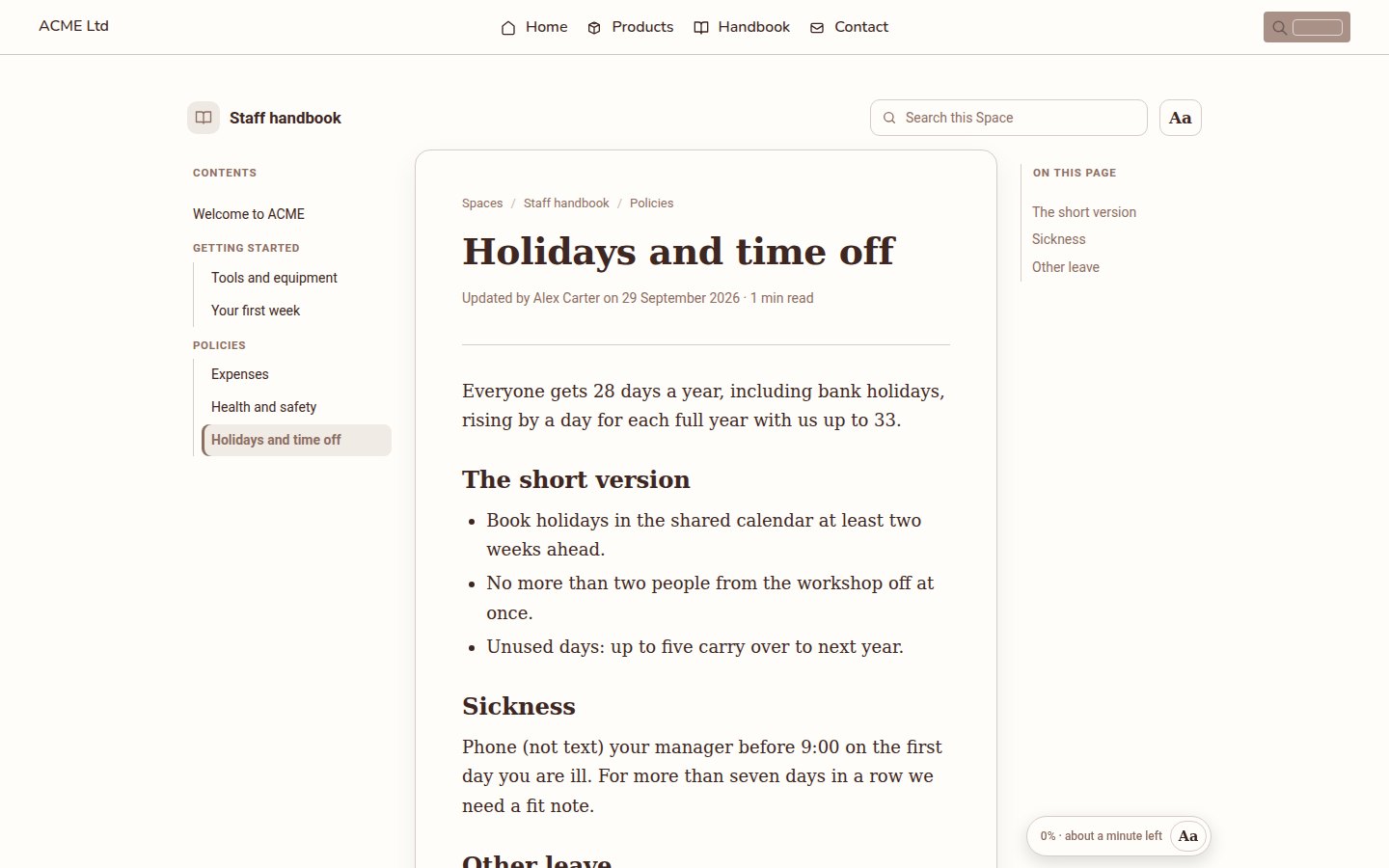
A page: contents, "On this page" and time left. On a phone the contents fold into a menu.
A quote in two minutes
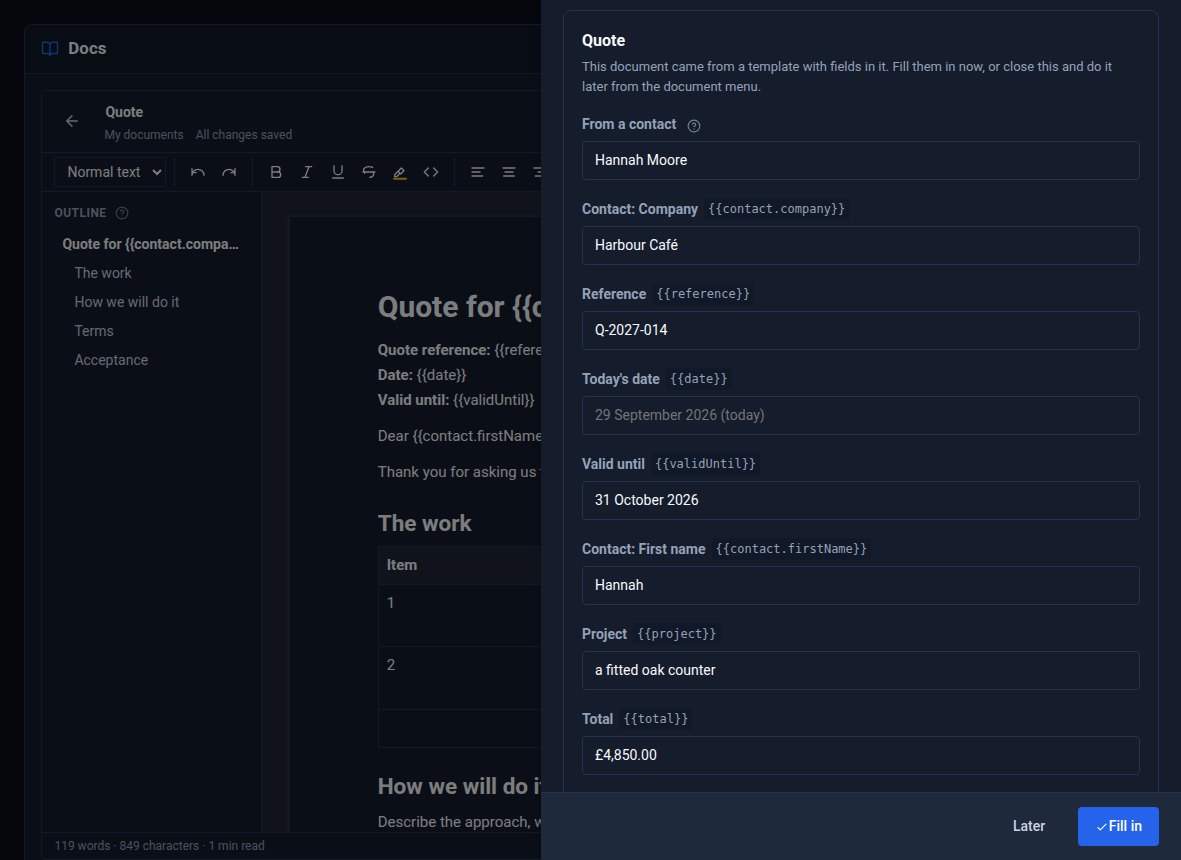
Harbour Café wants an oak counter. Alex starts from the ready-made Quote template, and Docs Pro asks for the details straight away.
Merge fields, filled from Contacts
The template is full of fields - {{contact.company}}, {{contact.firstName}}, {{validUntil}}, {{total}}. Alex searches Contacts for Hannah Moore, and her company and first name fill themselves in. The rest is typed; the date is today unless Alex says otherwise; Your name is already Alex's.
The same works on any document: Insert a field while editing, Fill in the fields… when it is ready, and a filled-in copy is made while the original stays ready for next time.
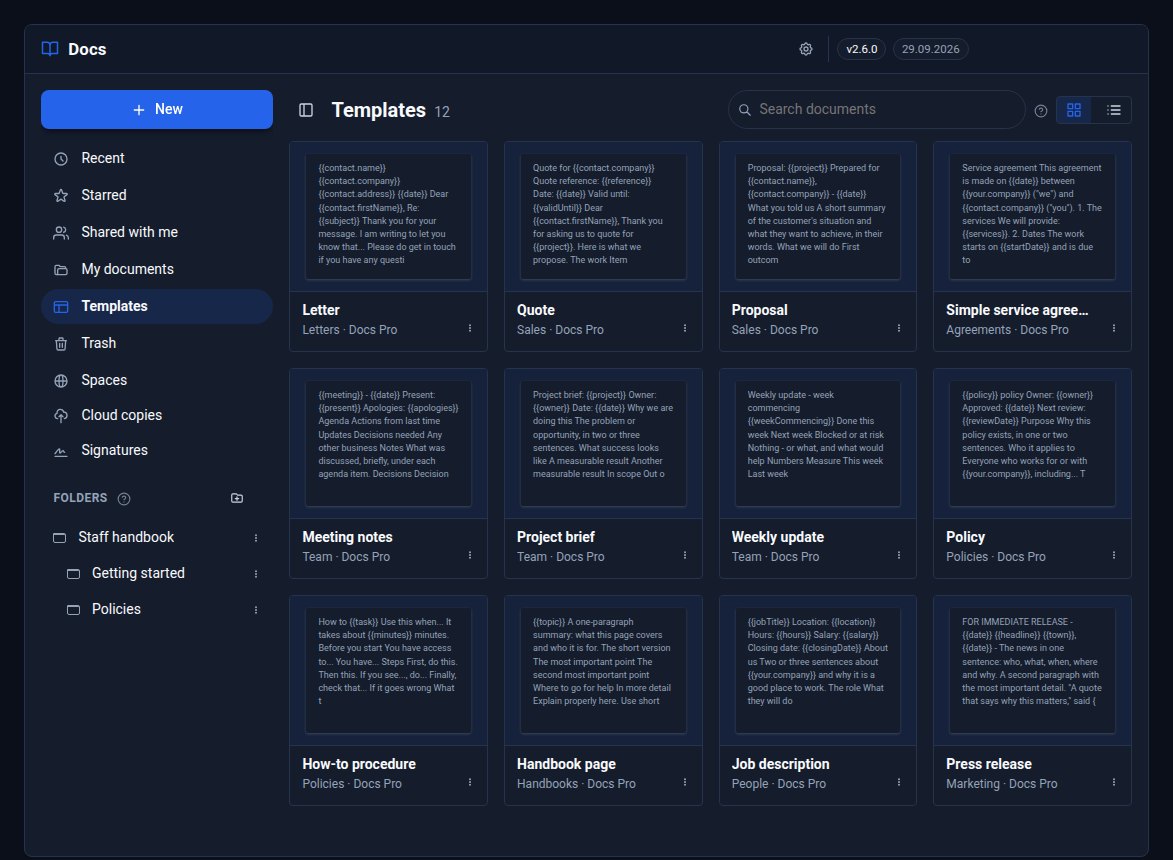
Twelve ready-made templates, from letters to press releases, most with fields like these.
Ready-made templates
Letter, Quote, Proposal, Simple service agreement, Meeting notes, Project brief, Weekly update, Policy, How-to procedure, Handbook page, Job description and Press release sit in Docs' Templates after ACME's own. They cannot be changed, but anything started from one can be saved as ACME's own template.
Signed, in order
The quote is accepted, so the service agreement goes out: Request signatures… from its menu, Hannah first, then Alex.
What Hannah sees
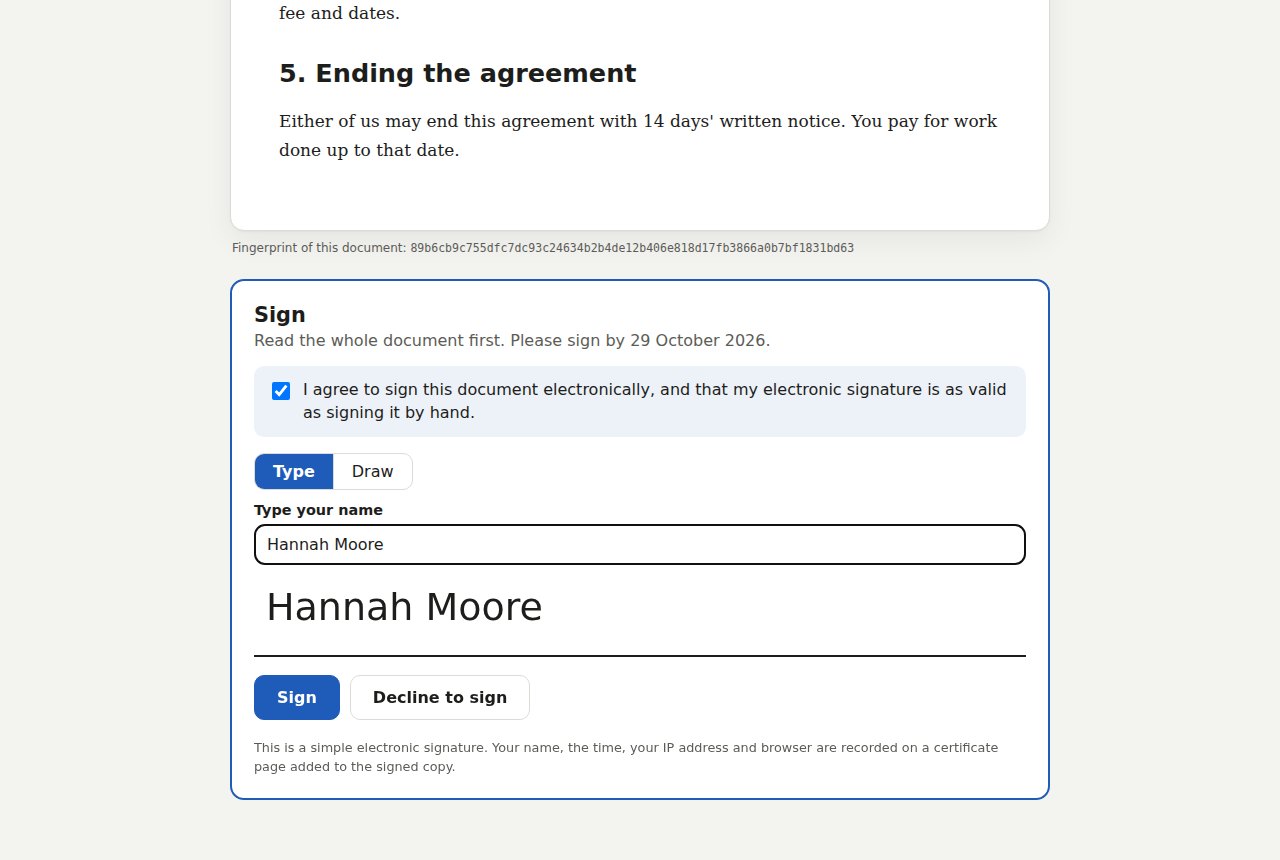
An email with a link that is hers alone. The link opens the whole agreement, then the signing panel: she agrees to sign electronically, types her name (or draws it), and presses Sign. She could decline and say why.
The document is frozen when it is sent and given a fingerprint, shown on the signing page and the certificate - later edits never change what people sign.
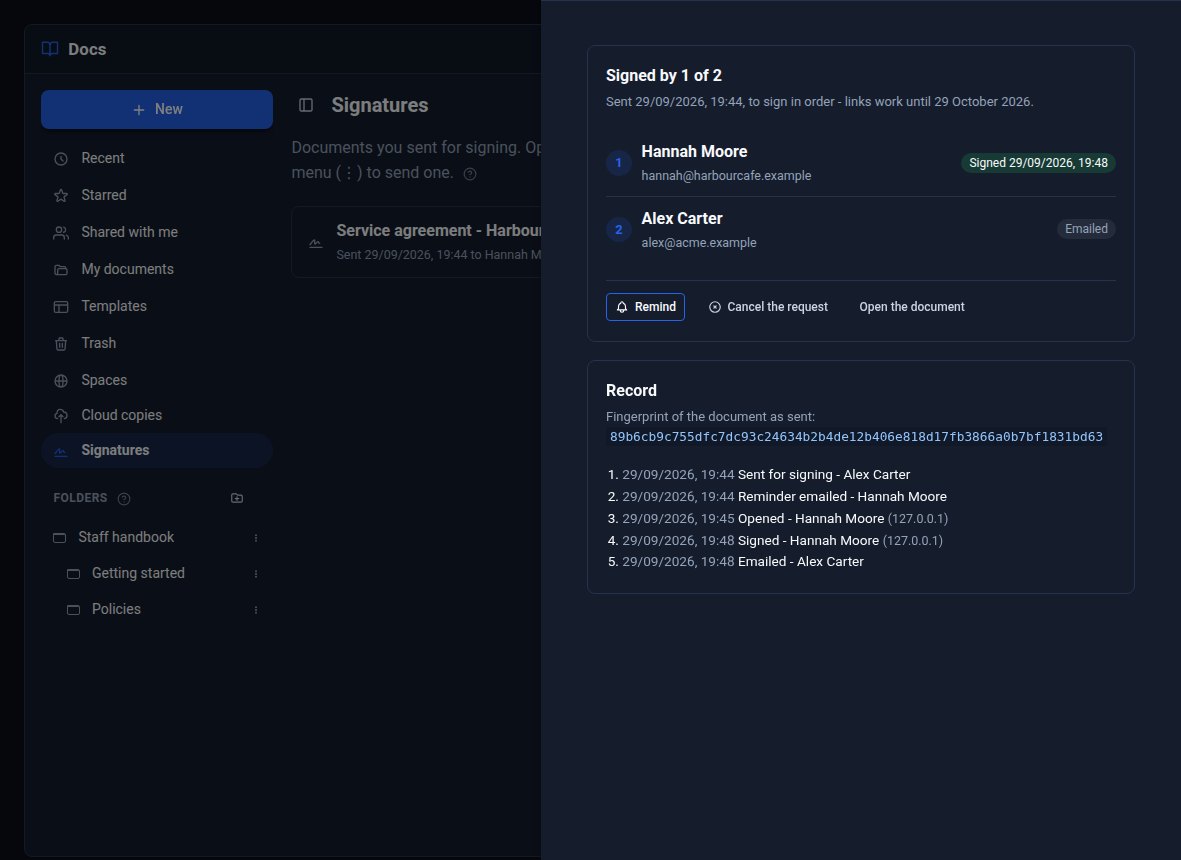
What Alex sees
The Signatures place lists every request with where it stands. Open one to see who has been emailed, opened it and signed, send a reminder, or cancel it. When everyone has signed, everyone is emailed the signed copy - the document, each signature, and a certificate page with who signed, when, and the fingerprint.
A simple electronic signature: fine for most agreements, not for deeds or wills.
The price list, reviewed
Next year's price list is shared with Priya as an Editor and with Sam as a Suggester. Nobody edits Alex's prices behind his back.
Suggested changes
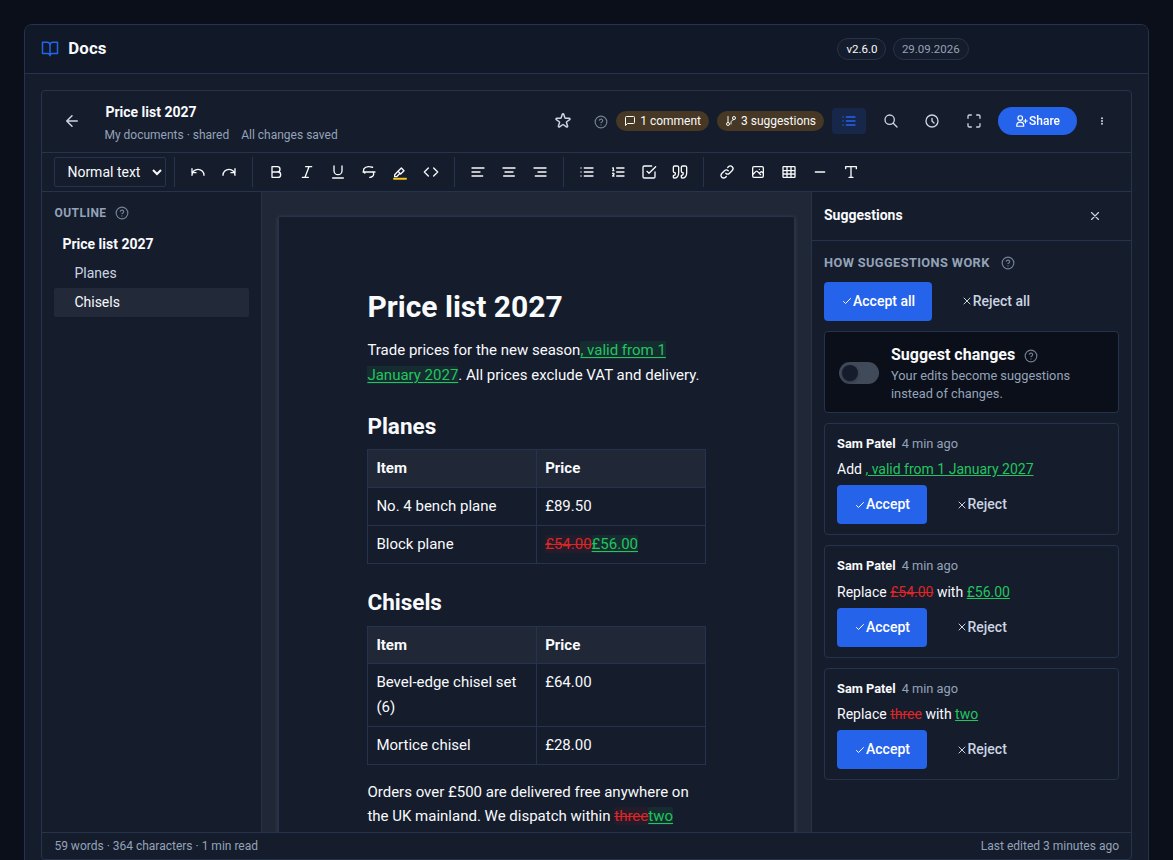
Sam can change the words - but every change is a suggestion. New words are underlined in green, removed ones struck through in red, and typing over a price is one "Replace £54.00 with £56.00". Alex is notified, opens the Suggestions list, and accepts or rejects each one, or all of them. Until then, anyone reading the public link sees the prices as they were.
Comments
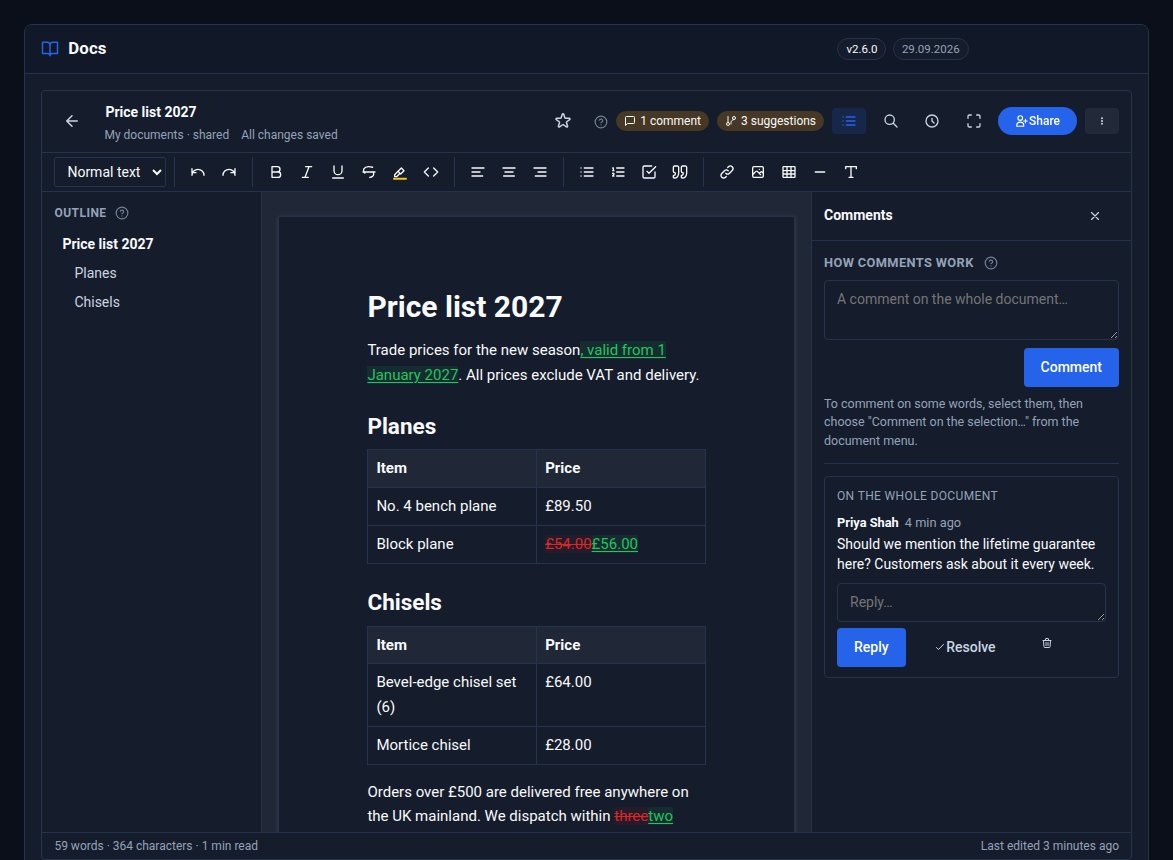
Priya asks whether the lifetime guarantee belongs on the price list. Comments go on some words or on the whole document; people reply, and whoever raised it - or an editor - resolves it. Comments stay inside Docs: never on the public link, in a Space or in a copy.
The rest of Docs Pro.
Cloud copies
A copy of every document in ACME's own Google Drive, OneDrive, Dropbox or S3 bucket - after every save, nightly or on request - as Markdown, HTML, text or PDF.
Word files
Supplier specifications arrive as .docx and come in as documents, pictures and all. Any document goes out as Word.
Protected links
A document's public link can have a password, an expiry date or both - a trade price list that stops working at the end of the month.
Want Docs Pro on your site?
Docs Pro adds to Docs, a Pro Tool. Tell us about the documents you work with and we will set it up with you.