Get found, one page at a time.
SEO is built into Domma CMS. It checks every page of your site, tells you what to fix in plain words, shows how each page will look in a search result and when shared, and looks after redirects, the sitemap and robots.txt for you.
What SEO does for you
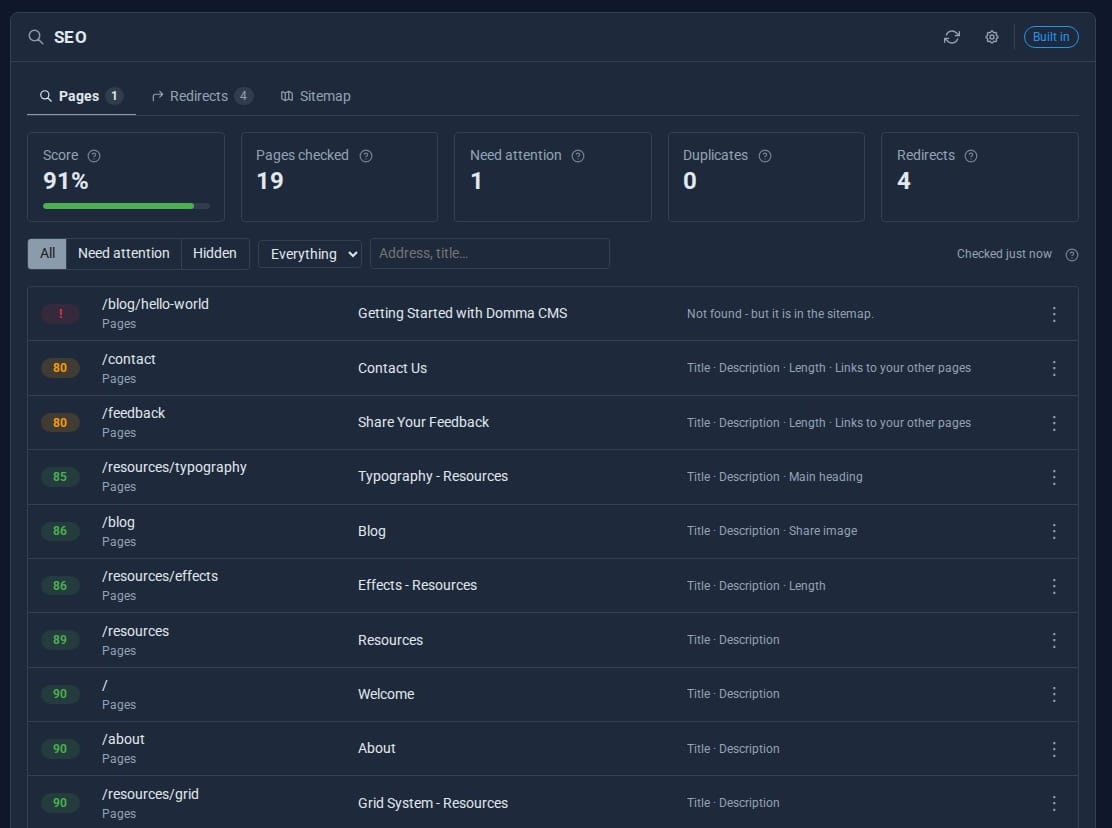
An audit of every page
Titles, descriptions, headings, word count, image alt text, internal links, focus keyphrase and more, scored page by page.
Duplicates found
Pages sharing a title or description are flagged across the whole site.
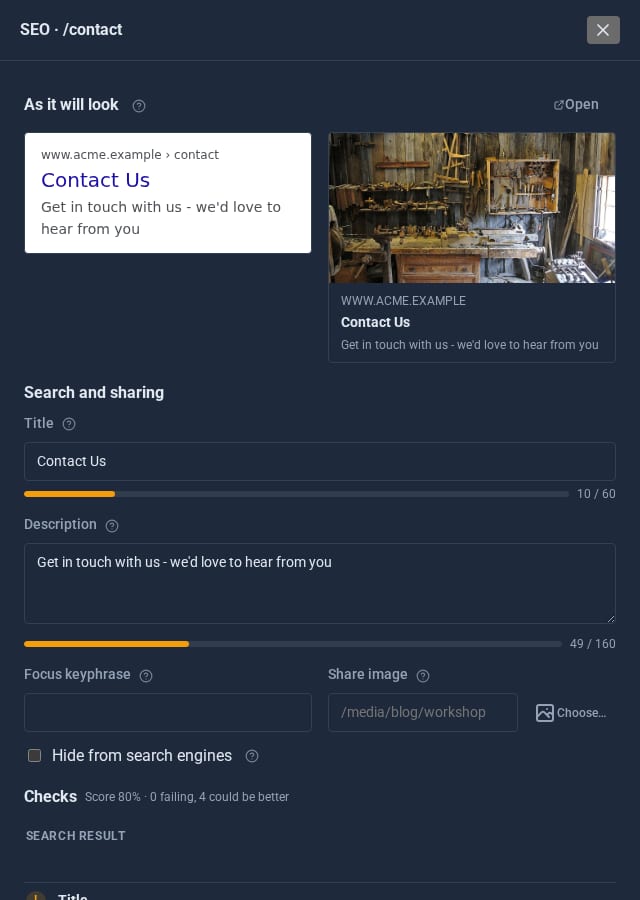
See it as Google does
Open a page to see its search result and share card as they will look, and edit the fields right there.
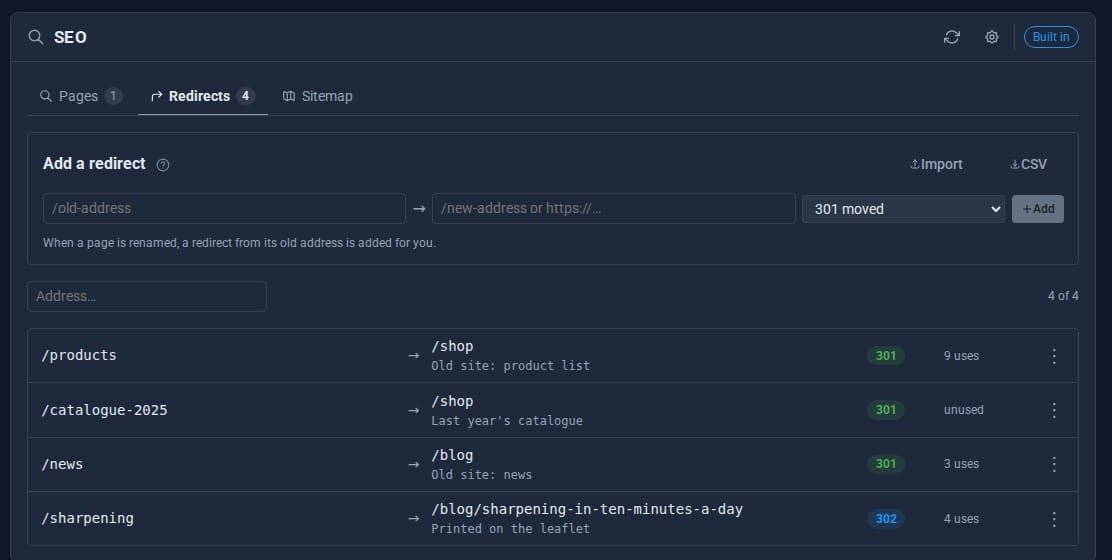
Redirects
301, 302, 307, 308 and 410, imported from CSV, with hit counts. Rename a page and the redirect is made for you.
Sitemap and robots.txt
sitemap.xml built from your public pages and blog posts; robots.txt that keeps the admin out.
Structured data
Organisation, local business or person details for the home page, and article markup for blog posts.
See it
Try it in 5 minutes
- Set your Site URL under Site Settings > General, so canonical links and the sitemap use your real address.
- Open Tools > SEO. The audit runs on a schedule; press the refresh button to run it now.
- Open the lowest-scoring page. Fix its title and description in the fields beside the preview.
- Moved a page? Add a redirect on the Redirects tab, or import a CSV of old and new addresses.
- Check the Sitemap tab to see what is listed, what is left out and why.
Want to win more searches? SEO Pro
SEO Built-in
- Scored audit of every page, run on a schedule
- Search result and share card previews
- Redirects with CSV import
- sitemap.xml and robots.txt
- Home page and blog structured data
SEO Pro Pro adds
- Google Search Console in the admin
- Rich results: FAQ, how-to, product, event, local business
- Links worth adding, competing pages, readability
- Every title and description in one grid
- Move an old site's addresses across as redirects
- A not-found log with one-click redirects
- A scheduled check of every link
Good to know
The seo permission decides who can view or manage SEO, so a marketing role can look after it without the rest of the admin.
What it needs
Nothing. SEO has been part of Domma CMS since 0.90. It can be switched off like the other built-in Tools.
Questions
Yes. Every page gets a canonical link, Open Graph and Twitter tags and breadcrumb structured data, built from the page and your site settings.
SEO adds a redirect from the old address to the new one, so links elsewhere keep working.
Learn it step by step
Goes well with
SEO comes with every site
Install Domma CMS and your pages are ready to be found, with an audit that tells you what to fix.