Look good when you are shared. Then share it yourself.
Control how every page looks when someone shares it, get a share image drawn in your colours for any page without one, and post your news to Bluesky, Mastodon and LinkedIn - now, scheduled, or drafted for you when you publish.

Every link you share, looking its best.
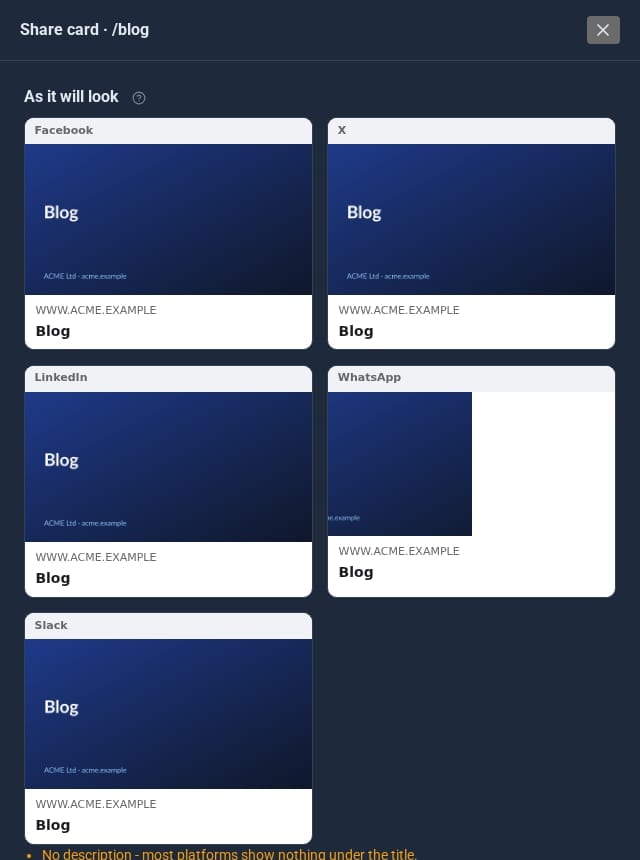
Share cards with previews
Edit the card for Facebook, LinkedIn, WhatsApp, Slack and X on each page and see it as it will appear. Empty fields fall back to the page's SEO title and description.
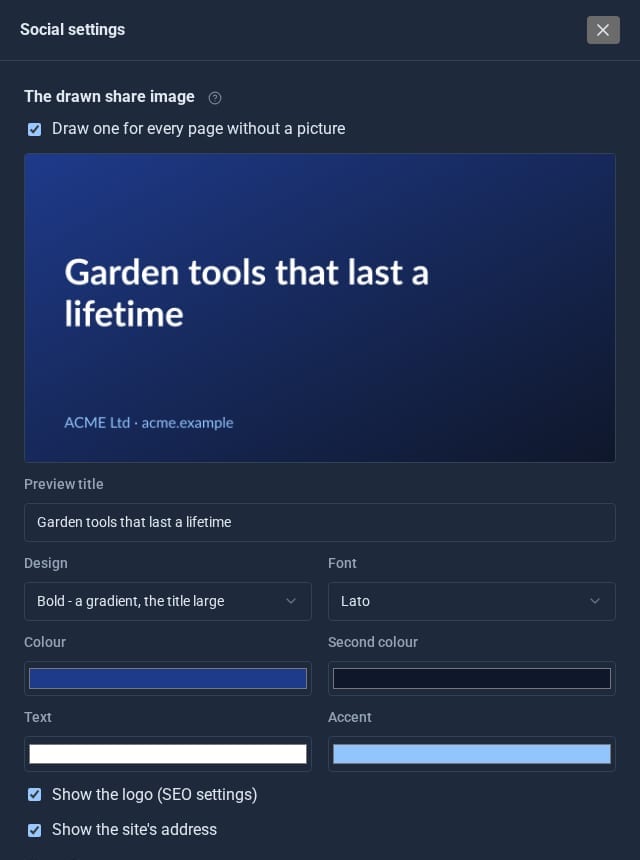
A picture for every page
Pages without an image get one drawn for them: three designs, your colours, font and logo.
Share and follow buttons
One shortcode adds share buttons, another your follow links. Plain links: no network scripts and no tracking of your visitors.
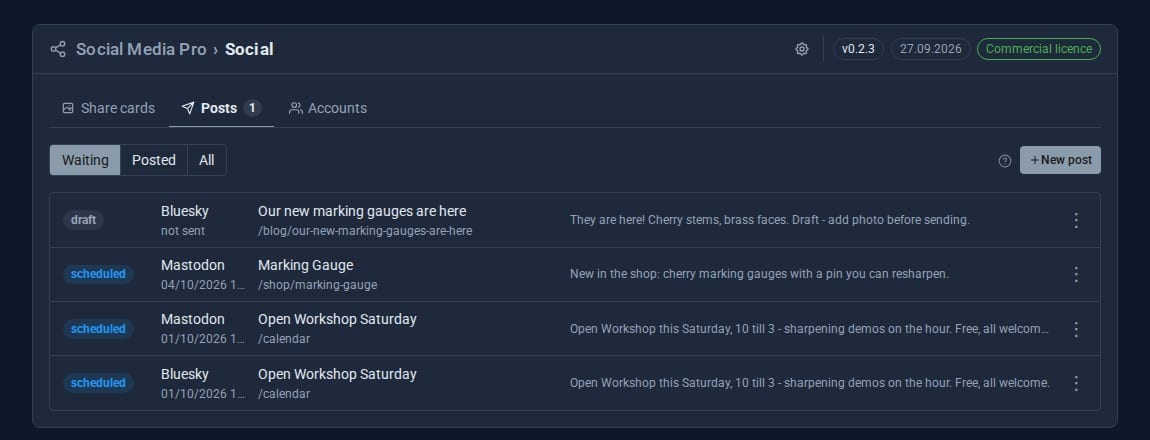
Post to three networks
Bluesky, Mastodon and LinkedIn (as yourself, or a company page) from one composer that counts characters for each.
Drafted when you publish
New blog posts or pages become a draft or scheduled post automatically. Review it, or let it go out on time.
Measured and on the calendar
Links are tagged so the visits show in Analytics, and scheduled and sent posts appear on the Calendar.
See it at work
Screens from our demo company, ACME Ltd. Every name and figure in them is made up.
See it in 5 minutes
Your first shared post, and share buttons on a page.
- Open Social in the sidebar.
- Press the cog (Social settings) and pick the design and colours of your drawn share image.
- On Accounts, connect Bluesky with an app password, or Mastodon with an access token.
- On Posts, press New post, choose a page and press Post now - or schedule it.
- Add the share shortcode to a page to give visitors share buttons.
Built to keep working.
- LinkedIn posts go through your own LinkedIn app, so the connection is yours. Sign-ins last 60 days; you are warned a week ahead and reconnect in one click.
- Failed posts raise a notice and a red sidebar badge, so nothing fails silently.
- Share buttons cover X, Facebook, LinkedIn, WhatsApp, Bluesky, Reddit, email and copy link, with the phone's own share sheet on touch devices.
- Saving a card clears that page's cache, so the change is live at once.
Straight answers.
- Social Media Pro comes included with SEO Pro.
- Posting goes to Bluesky, Mastodon and LinkedIn.
- Posting as a LinkedIn company page needs LinkedIn's own approval for its Community Management API.
Goes well with
Make every share count.
Social Media Pro is a Pro Tool, included with SEO Pro. Tell us about your site and we will set it up for you.