Several blogs, one site - each with a look of its own.
Blog Pro is everything in the free Blog, plus as many blogs as you need, each with its own address, settings and design. Choose from dozens of layouts, set fonts and colours with a live preview, give writers author pages, and embed video, audio, galleries and maps that respect your readers' privacy.

What Blog Pro does for you
Many blogs
A News section at /news and a Journal at /journal, each with its own settings, look and menu link - added, moved and renamed for you.
Dozens of layouts
18 post layouts, 19 listing displays and 6 index headers - Magazine, Masonry, Polaroid, Timeline, Spotlight and more.
Your own design
Ten presets, 25 self-hosted fonts, colours, radius and width, previewed live before you save. No fonts are fetched from Google.
Media without tracking
YouTube, Vimeo, Spotify and SoundCloud load only when a reader clicks. Galleries, link cards and OpenStreetMap maps work on any page.
Author pages
A profile per writer - bio, picture and links - with their own page and an optional authors index. Emails are never shown.
Motion, gently
Page transitions, cards that appear on scroll and hover effects. All of it switches off for readers who ask for reduced motion.
A look inside
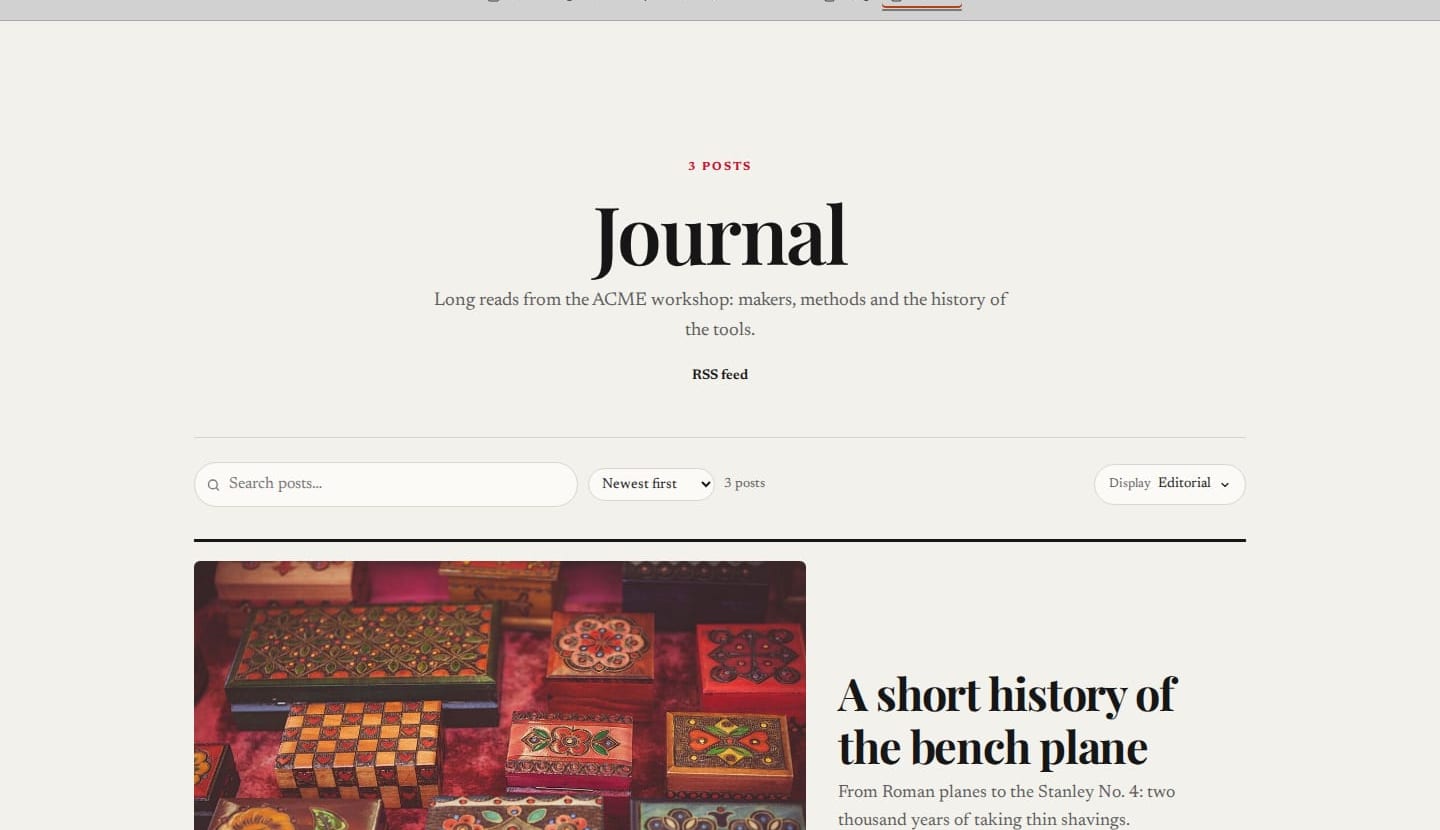
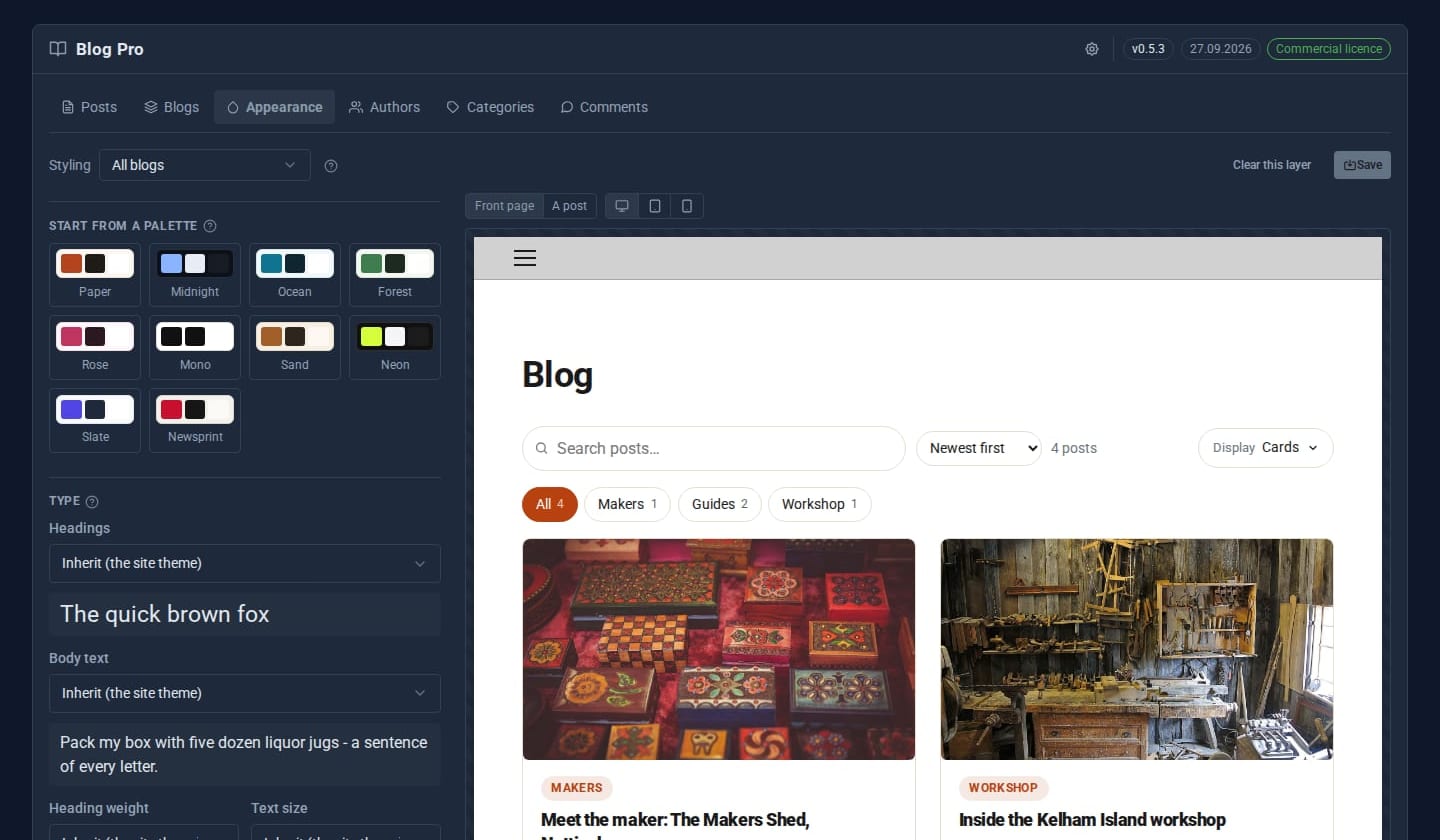
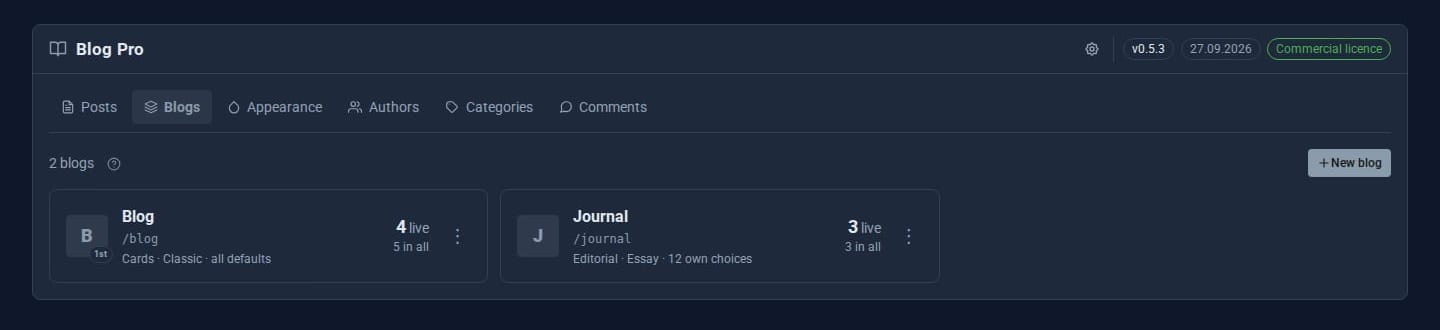
Screens from our ACME Ltd demo site. Every name in them is made up.
See it in 5 minutes
- Switch on Blog Pro. Your existing posts, categories and comments carry straight over - nothing moves.
- Open Blogs and add a second blog, say *Journal* at
/journal. A menu link appears on the site. - Open Appearance, choose a preset such as *Newsprint*, change the heading font, and preview a post.
- Write a post, paste a YouTube link into it with the Insert media button, and publish.
- Visit
/journal: your new layout, your fonts, and a video that loads only when clicked.
What Pro adds to the free Blog
Blog (free)
- Posts, categories, tags and comments
- Scheduling, RSS feed and SEO fields
- 6 post layouts and 4 listing displays
- Author and Editor roles
- Home-page shortcodes for recent posts
Blog Pro Pro adds
- Several blogs, each with its own address and settings
- 18 post layouts, 19 listing displays, 6 index headers
- Theme designer with 10 presets and 25 self-hosted fonts
- Page transitions, scroll and hover effects
- Author profiles, author pages and an authors index
- Privacy-first video, audio, gallery, link-card and map embeds on any page
Good to know
If the licence lapses, the free Blog takes over again with every post intact. Posts from extra blogs are hidden, not deleted.
What it needs
Nothing extra. It uses the free Blog's data, so upgrading changes nothing your readers see until you change it.
Questions
No. Blog Pro works over the free Blog's data. If the licence lapses, the free Blog comes back with every post, category and comment.
Each embed shows a picture and a play button. Nothing from YouTube or Spotify loads until the reader clicks, so they are not tracked just for opening your page.
Learn it step by step
Goes well with
Add Blog Pro to your site
Blog Pro is a Pro Tool. Tell us about your site and we will set it up with you.