Plan the work. Track it. Finish it.
A project tracker inside your admin: projects with their own workflow, issues on a board or in a list, a backlog you plan into sprints, and comments and mentions that tell the right people when something moves.

Everything a team needs to ship.
Your workflow
Each project has its own statuses, the moves allowed between them, issue types and priorities. A move the workflow forbids is refused by the server too.
Board, list, backlog
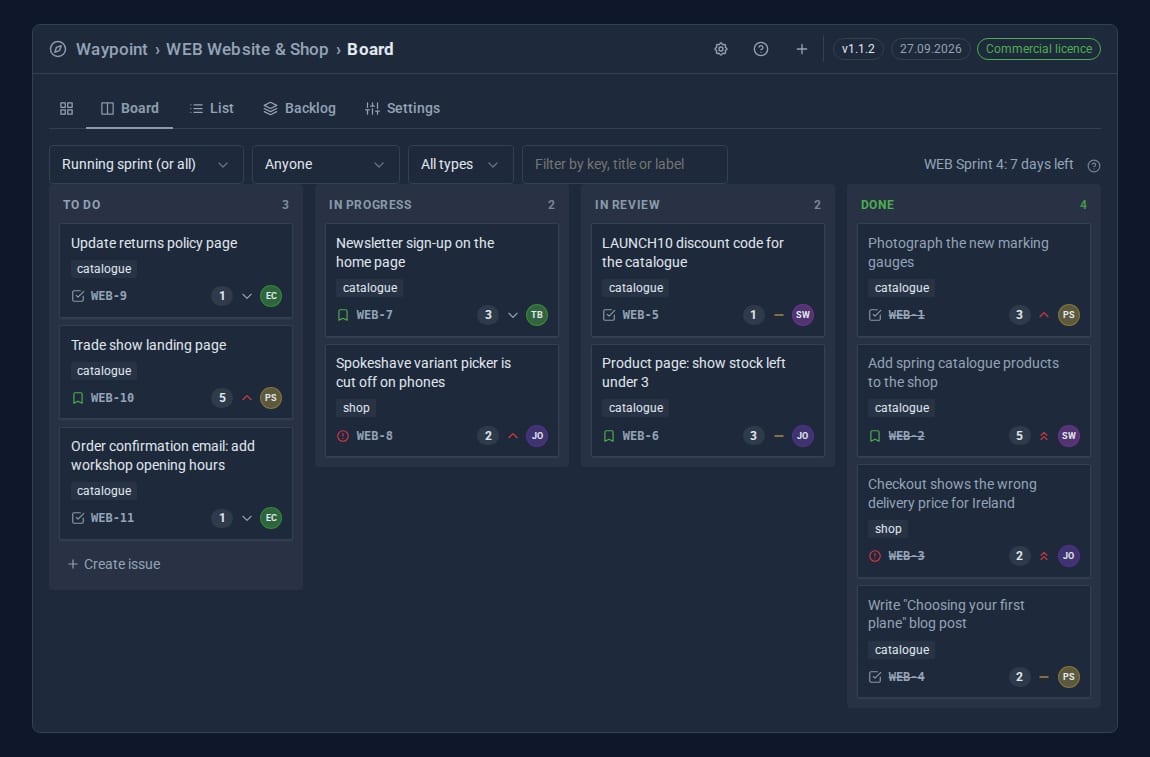
Drag issues across a board, filter and sort them in a list, and rank the backlog by dragging.
Sprints and burndown
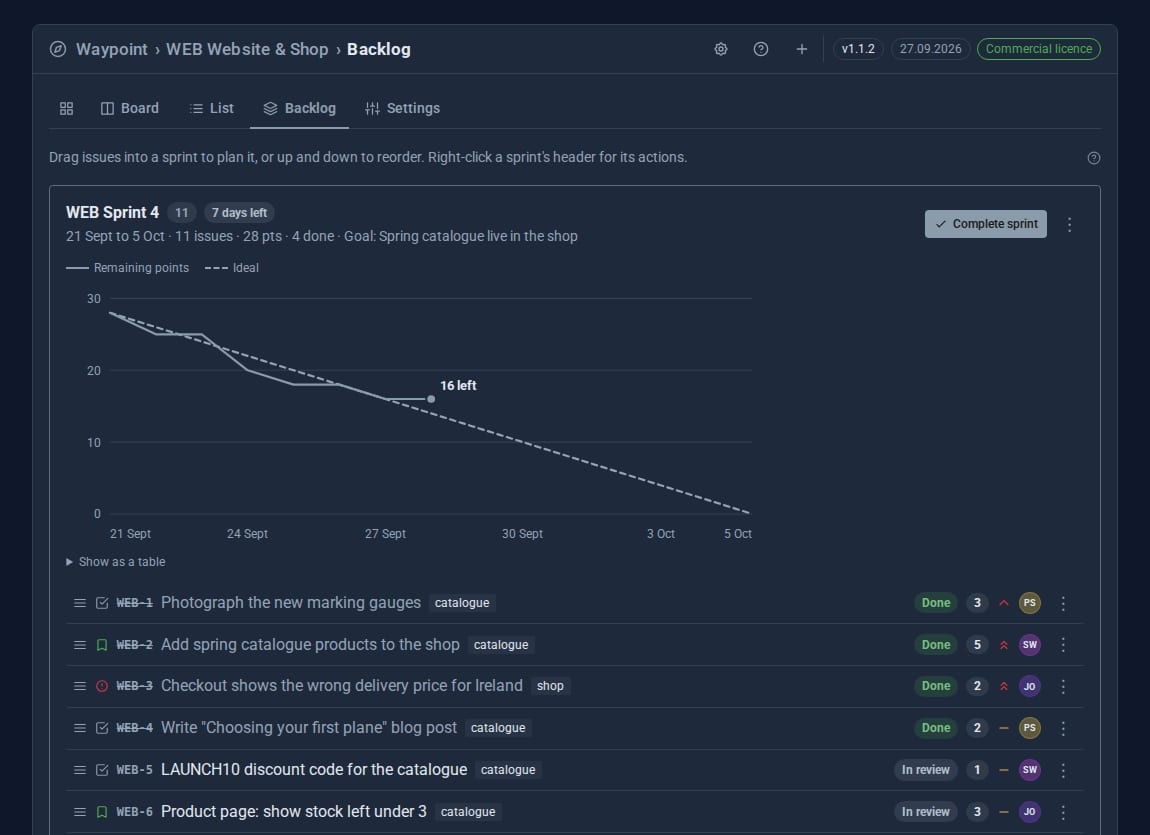
Plan a sprint from the backlog, start it, and follow the burndown - by story points when you estimate, by issue count when you do not.
Issues with everything
Type, status, priority, assignee, sprint, epic, estimate, labels, due date and watchers, with full history.
The right people told
Watchers, the assignee and anyone @mentioned get a notice, and an email when you turn it on. Nobody is told about their own change.
Your work at a glance
The sidebar badge counts the open issues assigned to you, and turns red when one is overdue.
See it at work
Screens from our demo company, ACME Ltd. Every name and figure in them is made up.
See it in 5 minutes
Your first project, board and sprint.
- Open Waypoint in the sidebar and press + for a new project.
- Give it a name and a key such as
WEB. Issues are numberedWEB-1,WEB-2and so on. - On the Board, press Create issue at the foot of the first column and type what needs doing.
- Drag it to In progress when work starts and to Done when it is finished.
- For sprints, open Backlog, create a sprint, drag issues in and press Start sprint.
Made for the keyboard and the mouse.
- New projects start with To do, In progress, In review and Done, and the types Task, Bug, Story and Epic. Change them in the project's Settings.
- Right-click, the menu button or Shift+F10 on any issue, project, sprint or comment.
- Unsaved work is kept as a draft and offered back. Ctrl+Enter or Ctrl+S saves.
- Every issue has an address you can share, such as
/i/WEB-12.
Who can do what.
- Read: see projects and issues.
- Write: create, edit, move and comment on issues.
- Manage: create projects, change workflows, plan and close sprints.
- One sprint runs per project at a time.
Goes well with
Give every piece of work a home.
Waypoint Pro is a Pro Tool. Tell us about your team and we will set it up for you.