A proper blog, not an afterthought.
Blog adds posts, categories, tags, scheduled publishing, moderated comments and an RSS feed to your site. Pick a layout and a listing style, add six sample posts to see it working, and write.

What Blog does for you
Write and schedule
Title, text in Markdown or HTML, excerpt, featured image, categories and tags, and a date to go live on its own.
Six post layouts
Classic, Feature, Minimal, Sidebar, Split and Essay, each an editable block, previewed before you choose.
Four listing displays
Cards, List, Magazine and Compact, with search, filters and sorting for readers.
Comments you control
Hold comments for approval, then approve, reject or mark spam from a queue with a sidebar badge.
Readers stay in touch
An RSS feed, reading time, a table of contents, share links and related posts.
Writers and editors
Blog Author and Blog Editor roles: writers draft their own posts, editors publish.
See it
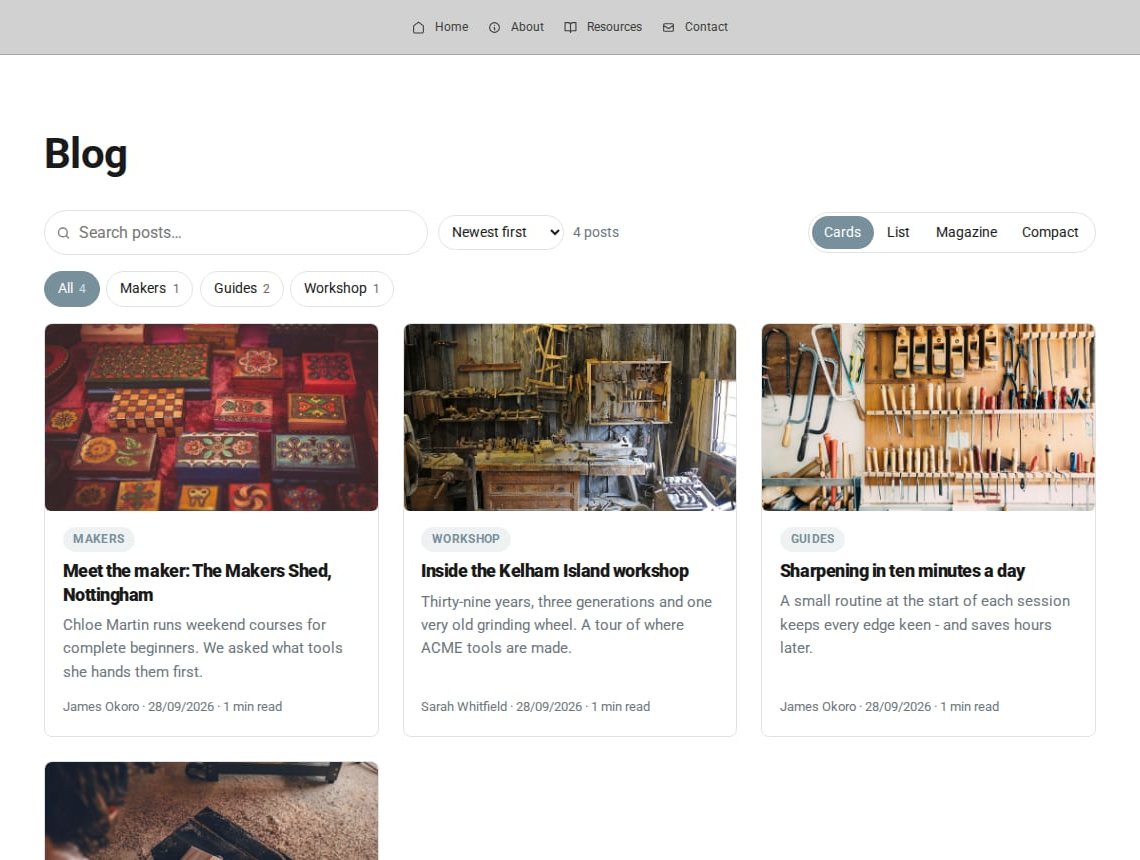
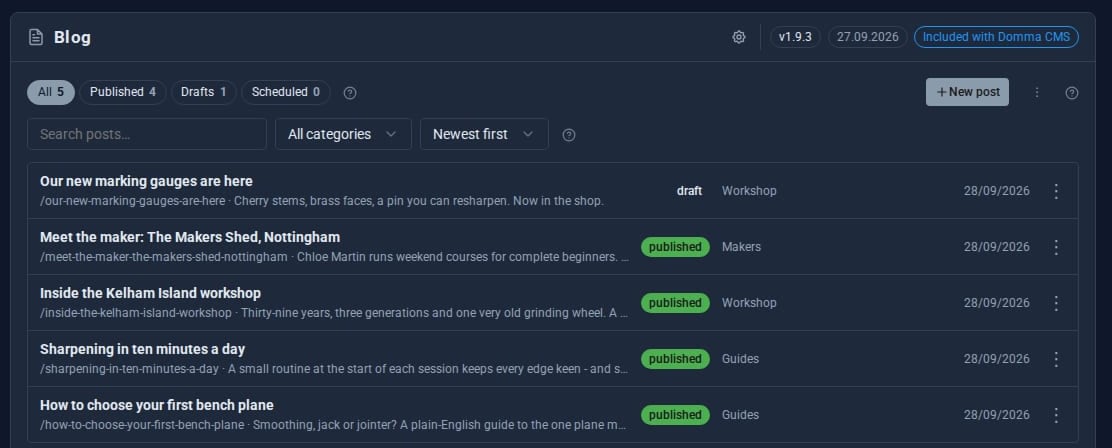
See it live: A blog that lays itself out - ACME Ltd's demo workshop blog on the free Blog Tool.
Try it in 5 minutes
- Enable Blog in the Marketplace. A Blog link is added to your navbar.
- From the Blog screen's menu, choose Add sample posts and visit
/blogto see it working. - Open the cog and pick a default post layout and listing display.
- Write your first post: add a featured image and a category, and set a date to schedule it.
- When you are happy, choose Remove sample posts. Your own posts stay.
Running more than one blog? Blog Pro
Blog Free
- One blog at the address you choose
- Six post layouts, four listing displays
- Categories, tags, scheduling, RSS
- Moderated comments
- Writer and editor roles
Blog Pro Pro adds
- Several blogs, each with its own address and look
- 18 post layouts and 19 listing displays
- 25 self-hosted fonts and a theme designer
- Page transitions and card effects
- Author profiles and author pages
- Privacy-first video, audio, galleries and maps
Works with the rest of your site
Any page
Put recent posts anywhere with [blog-grid], [blog-list] or [blog-featured].
SEO
Posts join your sitemap with canonical links and article structured data.
Social Media Pro
Draft a social post automatically for every new blog post.
Good to know
Listings work without JavaScript, and scheduled posts go live on their own when the date passes, with no timer to set up.
What it needs
Nothing. Blog is free and ships with Domma CMS; enable it in the Marketplace.
Questions
Yes. Set the base path in Blog settings, for example /news. The navbar link moves with it, no restart needed.
Yes. Layouts are ordinary blocks, so you can edit them in the Blocks tool, or add your own named blog-post- or blog-card-.
Learn it step by step
Goes well with
Blog is free with every site
Install Domma CMS, enable Blog, and add sample posts to see it working in a minute.