The protection a busy site needs.
Everything in the free Security Tool, plus two-factor sign-in, a firewall that bans repeat offenders for longer each time, country rules for your admin, and a clear record of who signed in and what changed.

A password is no longer enough.
Two-factor sign-in
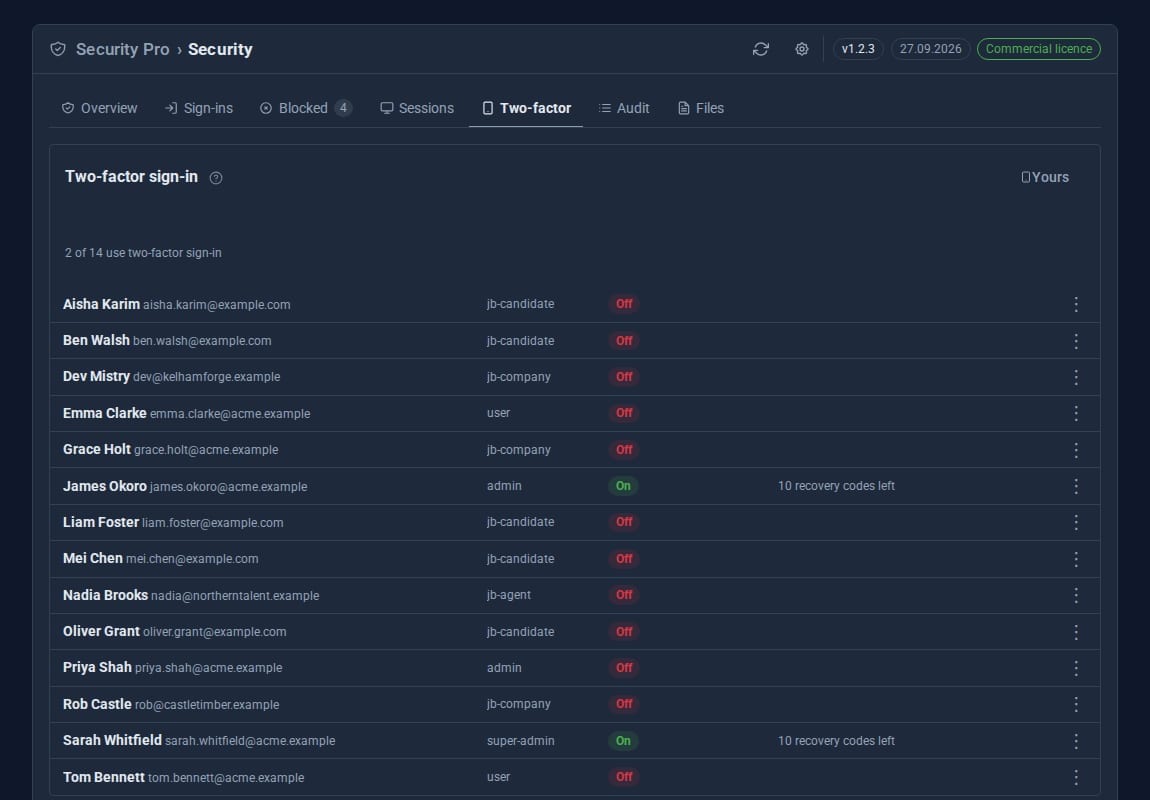
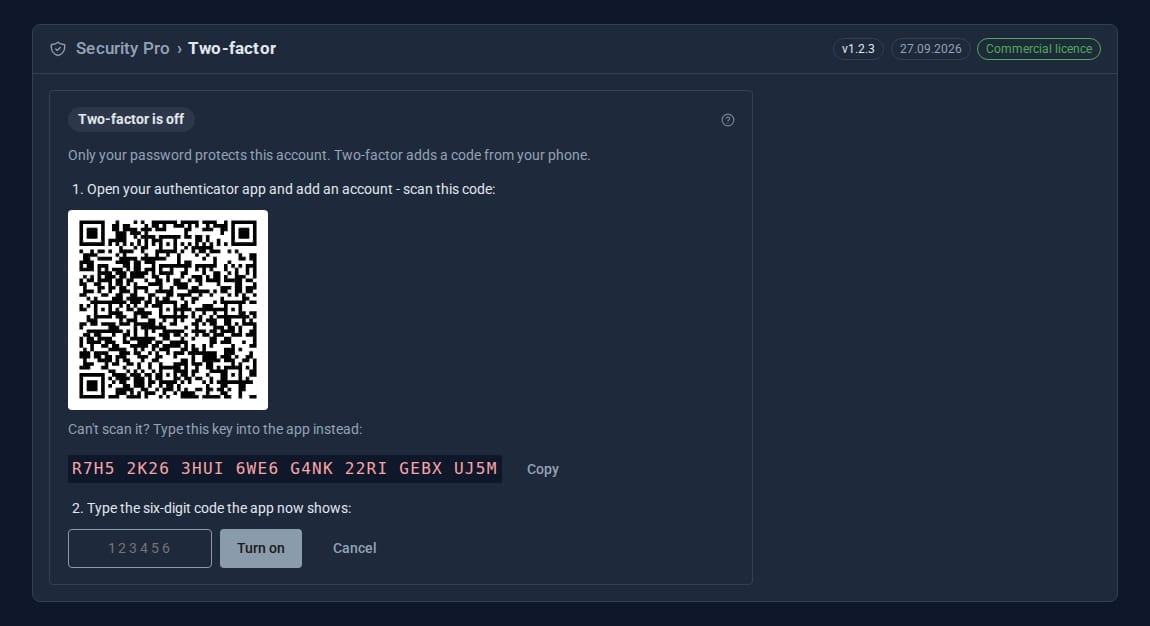
Authenticator apps, recovery codes shown once, and "trust this browser" for 30 days. Require it per role, with set-up during sign-in.
A firewall that learns
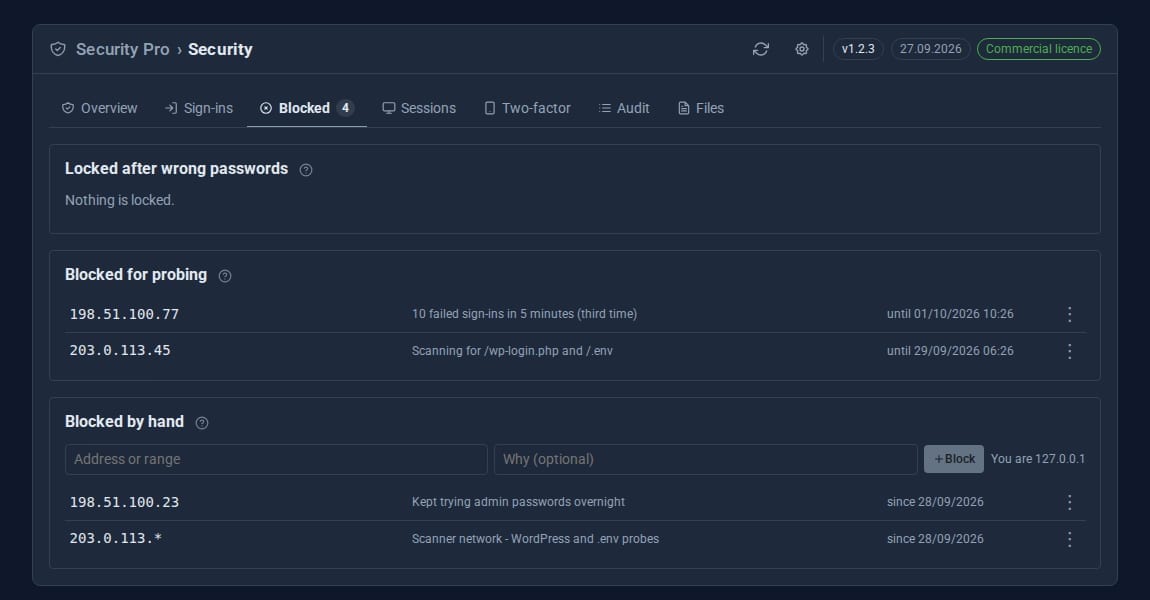
Bans escalate from 15 minutes to an hour, a day, then a week. Scanner tools are blocked on sight, and bursts of not-found requests are stopped.
Rate limits
Per-route limits for anonymous visitors: forms and search out of the box, and any route you add as a line of text.
Country rules
Allow or block countries for the admin and API, or for the whole site.
Breached passwords
An optional check against Have I Been Pwned. Only the first five characters of a hash ever leave your server.
Files you can trust
Engine files are compared every day with the official release for your version. Any difference raises a critical notice.
See it at work
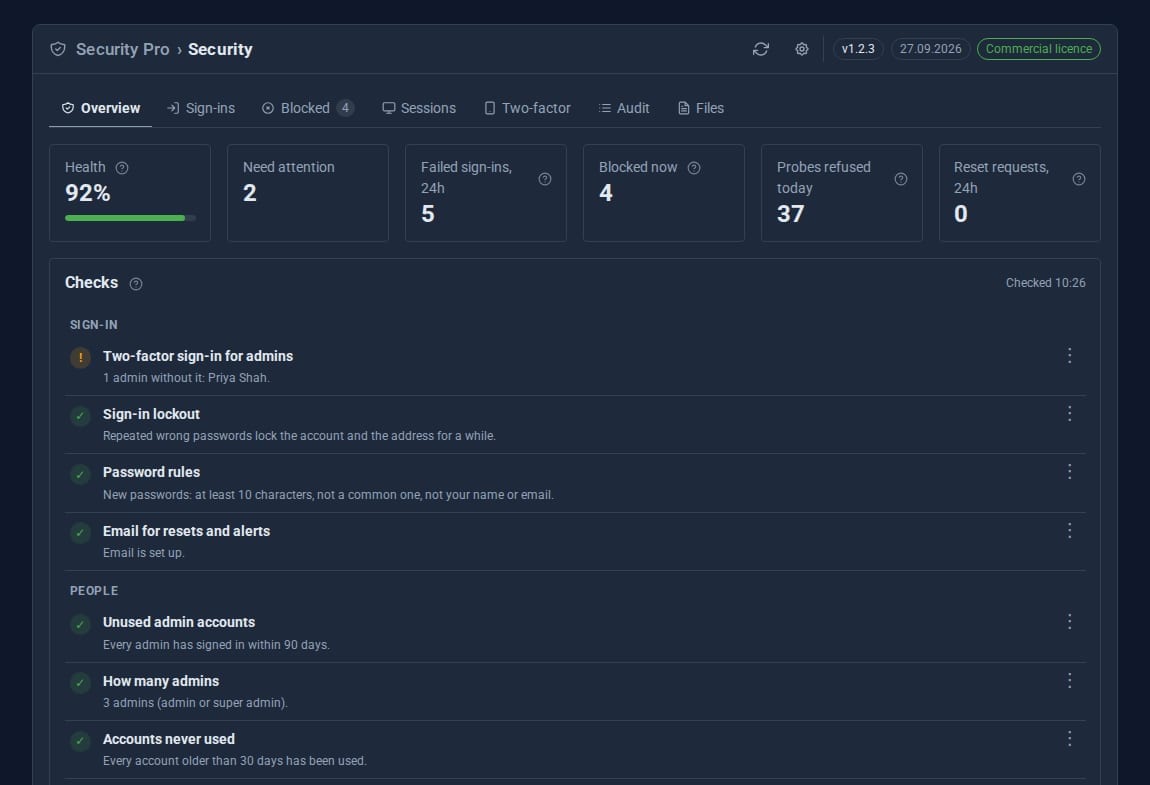
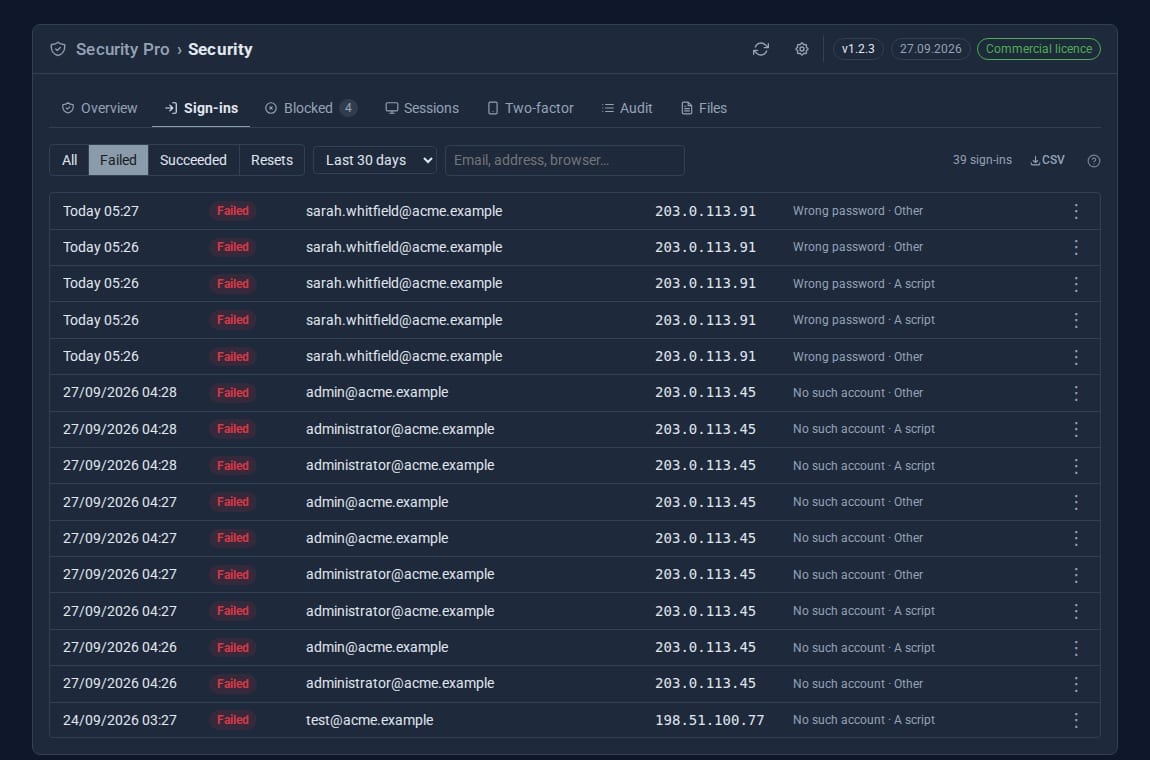
Screens from our demo company, ACME Ltd. Every name and figure in them is made up.
See it in 5 minutes
Turn on two-factor for yourself, then require it for your admins.
- Open Security in the sidebar. Overview shows your health score and each check.
- Click a check to see why it matters and how to fix it.
- Click Two-factor in the sidebar, scan the QR code with an authenticator app and type the six-digit code.
- Save your recovery codes somewhere safe - they are shown once.
- Open Security settings (the cog in the banner) and require two-factor for your admin roles.
What Security Pro adds
Security
- Health check with fixes
- Sign-in lockout and password rules
- Scanner blocking
Security Pro Pro adds
- Escalating bans for repeat offenders
- Two-factor sign-in, per role
- Per-route rate limits
- Country rules
- Breached-password check
- Every signed-in session, sign out everywhere
- Audit trail with CSV and JSON export
- File integrity checks
- Weekly summary
Moving up is seamless.
- Security Pro takes over from Security and adopts its sign-in log, blocks and settings on first start.
- Sessions: see every signed-in session, end one, or sign a person out everywhere.
- Audit: sign-ins, password resets, two-factor events and the CMS's own audit events, kept for 180 days.
- A weekly summary every Monday morning, as a notice and by email when mail is set up.
- Two-factor secrets are sealed with AES-256-GCM; recovery codes are stored hashed.
Learn it step by step
Goes well with
Lock the front door properly.
Security Pro is a Pro Tool. Tell us about your site and we will set it up for you.